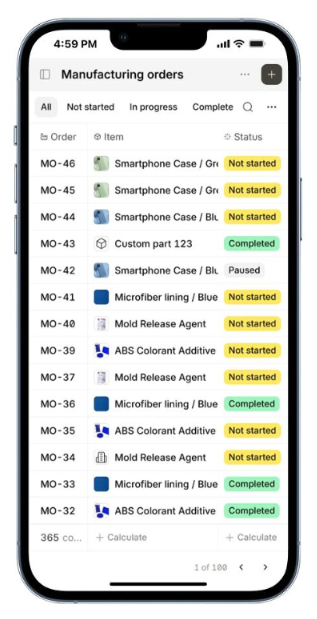
Manufacturing teams often need to check job assignments, update production activities and complete quality checks while working on the shop floor. Zoho ERP has introduced a dedicated Shopfloor mobile app, bringing these activities directly to employees' mobile devices.
What's New?
Access Assigned Job Cards: Shop floor staff can view the job cards assigned to them.
Manage Manufacturing Tasks: Employees can manage their manufacturing activities through the mobile app.
Perform Quality Inspections: Quality inspections can be carried out directly from mobile devices.
Why Does It Matter for Businesses?
Shop floor employees don't always work at a desk. Mobile access gives them a more convenient way to manage assigned work and quality activities from the production floor, while keeping these tasks connected to the ERP system.
Industry Perspective
As manufacturing operations become increasingly connected, mobile access is becoming an important part of bringing digital systems closer to everyday shop floor activities.
AI is making everyday business tasks easier, from organizing information to analysing data and preparing reports. However, businesses also need to understand where AI-generated information comes from and verify its accuracy before using it.
Google is improving Fill with Gemini in Google Sheets with cell-level source citations and support for larger requests, helping businesses work with spreadsheet data more efficiently and review AI-generated results with greater confidence.
What's New?
Cell-Level Source Citations: When Gemini uses web sources to generate information in Google Sheets, it can now display the exact sources directly within individual cells. Users can check where the information came from and verify the results more easily.
Larger Data Processing Capacity: Fill with Gemini can now handle requests involving up to 3,000 cells at a time. This allows users to summarize, categorize, and process larger datasets without dividing every task into smaller requests.
Faster Spreadsheet Tasks: Google reports that Fill with Gemini performed up to 55 times faster than manual entry for a 500-cell task in an internal study involving 95 participants. This can help reduce the time spent on repetitive spreadsheet activities.
Direct Access Within Google Sheets: Users can access Gemini through the Sheets side panel by selecting Ask Gemini. The feature is available to eligible Google Workspace editions, with administrators able to manage access through their existing settings.
Why It Matters for Your Business?
Businesses can reduce repetitive spreadsheet work, process larger datasets, and review AI-generated information more easily through source citations. This can be particularly useful for teams handling customer information, market research, product data, and business reporting.
These improvements can save time and support more informed decisions, while still allowing employees to review and validate AI-generated results before relying on them.
How Quantazone Can Help?
At Quantazone, we help businesses make better use of Google Workspace through practical configuration, workflow improvements, and technology support. Our team can help assess how Gemini features fit into your existing spreadsheet processes, guide employees on using AI-assisted tools, and improve the way business data is organized and reviewed.
Introducing our Zoho CRM Updates series highlighting new features that help businesses simplify customer relationship management, improve sales processes, and get more value from their CRM systems.
What's New?
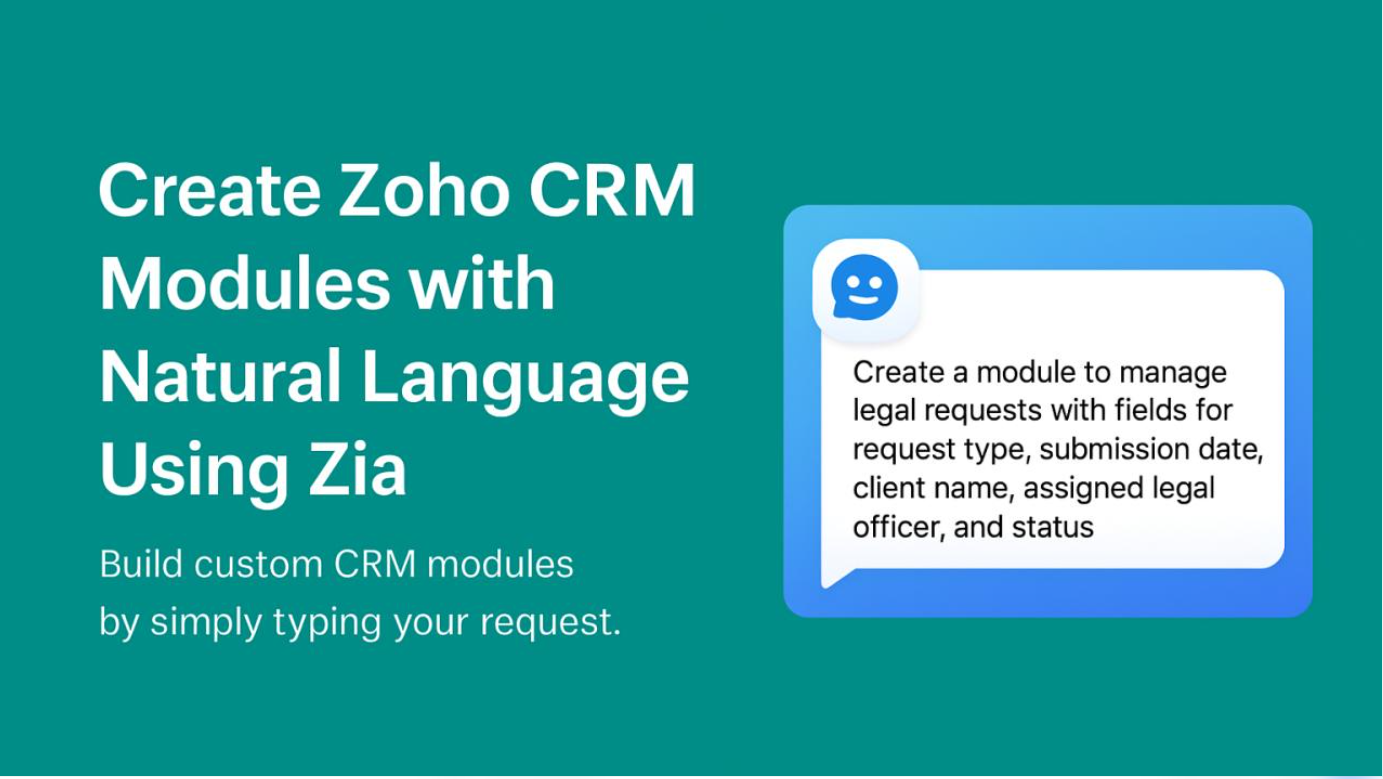
Zoho CRM has introduced native AI customization agents that let users configure selected CRM settings by describing what they need in natural language, rather than manually navigating multiple screens.
AI-Powered Profile Configuration: Create and manage user profiles, including permissions for modules, fields, and CRM features, based on each team's responsibilities.
Simplified Role Management: Describe your organizational structure and configure roles and reporting hierarchies to reflect how your sales team operates.
Smarter Data-Sharing Rules: Set up access rules that determine how CRM data is shared between users, roles, groups, and teams.
Automated Review Processes: Define review criteria, reviewers, and actions so records can follow the required review and approval process.
Customer Segmentation: Create RFM-based customer segments using factors related to recency, frequency, and monetary value, helping teams organize customers according to their purchasing activity.
Users can access these agents through the Customize with Agent option on the relevant settings pages. The agents can create, view, update, or delete supported configurations through a conversational interface.
Why It Matters for Your Business?
Configuring a CRM can take time, particularly when a business has multiple sales teams, different access requirements, and changing approval processes. These AI agents can reduce manual setup work, help administrators manage configurations more efficiently, and make it easier to adapt Zoho CRM as business needs change.
Feature availability depends on the Zoho CRM edition and data centre. Zoho's announcement lists Professional, Enterprise, and Ultimate editions, as well as Zoho One and CRM Plus, for supported data centres. The organization must also enable Zoho Hosted LLM for these native agents.
How Quantazone Can Help?
At Quantazone, we help businesses implement, configure, and optimize Zoho CRM around their sales processes and operational requirements. Our team can help assess your existing CRM setup, organize user roles and permissions, streamline approval processes, and identify where AI-powered features could reduce administrative work.
Introducing our Google Workspace Updates series — highlighting AI capabilities that can help businesses work smarter, reduce repetitive tasks, and get more value from their existing digital tools.
What's New?
Cross-App AI Assistance: Gemini can use relevant business context to help create documents, spreadsheets, and presentations while you work across Workspace applications.
Smarter Email Management: Summarize lengthy email conversations, extract key information, and draft contextual responses or structured project briefs.
AI-Powered Data Analysis: Generate structured spreadsheets, organize information, and explore business data using natural-language prompts.
Presentation and Content Creation: Transform written documents into editable presentations and use AI to develop professional business content more efficiently.
Workflow Automation: Google Workspace Studio enables businesses to build AI-powered workflows that streamline repetitive tasks, such as organizing emails and preparing for meetings.
AI-Powered Visual Content: Google Workspace's newer capabilities include Google Vids that can turn documents into video summaries for internal communication and customer education.
Why It Matters for Your Business?
For growing businesses, these capabilities can help reduce time spent switching between applications, preparing reports, managing communications, and creating business content. The potential benefits include improved team productivity, more consistent workflows, and better use of existing business information.
However, feature availability varies by Google Workspace edition, rollout status, and administrator settings.
How Quantazone Can Help?
At Quantazone, we help businesses implement, configure, and optimize Google Workspace to align with their operational needs. Our team can help assess your existing setup, identify relevant AI capabilities, streamline workflows, and guide your employees in adopting these tools effectively.